








The gap between what AI can do and what most people actually use it for is enormous. Most users still treat ChatGPT like a slightly smarter search engine—they ask questions and get answers. That is useful, but it is not automation.
The real shift happening in 2026 is the rise of AI agents that do not just answer—they act. These tools open apps, click buttons, fill forms, send emails, and complete multi-step tasks end to end. An AI assistant tells you what to do. An AI agent does it.
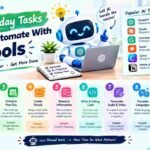
This guide covers ten everyday tasks that can now be fully or largely automated. Each one maps to a specific tool or approach, and each one represents hours reclaimed per week. Some are simple enough to set up in minutes. Others require a bit more configuration but deliver proportionally larger returns.
1. Email Triage and Inbox Management
Email is the single biggest time drain for most professionals. The average knowledge worker spends over two hours daily on email, much of it on messages that require no real thought—newsletters, notifications, meeting invitations.
What can be automated:
AI agents can scan your inbox on a schedule, classify messages by urgency, draft replies for routine requests, and archive non-essential mail to a “Read Later” folder. One common setup runs every 30 minutes, checking for messages from your boss or key clients, flagging those as urgent, and drafting short responses for scheduling inquiries.
How it works:
Tools like OpenClaw, Khoj, or Microsoft Copilot Tasks connect to your Gmail or Outlook account. You define rules in plain language: “Mark anything from my supervisor as urgent. Draft replies for meeting requests. Archive newsletters to a folder called Read Later.”
Time saved: 5 to 10 hours per week for heavy email users.
2. Personalized Morning Briefings
Instead of opening five different apps to check weather, calendar, tasks, and news, an AI agent can deliver a single consolidated briefing to your phone before you start your day.
What can be automated:
At a scheduled time each morning, the agent gathers your local weather, today’s calendar events, your top three tasks from your to-do app, and headlines from sources you care about. It sends everything as one message to Telegram, WhatsApp, or your email.
How it works:
A prompt like “Every morning at 7 AM, send me a briefing with today’s San Francisco weather, my Google Calendar events, my top 3 Todoist tasks, and 5 TechCrunch headlines” configures the entire workflow. Tools like Khoj or OpenClaw handle the rest.
Time saved: 15 to 20 minutes every morning, plus reduced decision fatigue.
3. Meeting Transcription and Action Item Extraction
Taking notes during meetings is mentally taxing and often distracts from actually participating. AI transcription tools now handle this automatically, producing searchable transcripts and extracted action items.
What can be automated:
Tools like Otter.ai, Fireflies.ai, or Tactiq join your Zoom, Google Meet, or Teams calls, transcribe the conversation in real time, identify speakers, and generate a summary with key decisions and assigned tasks.
How it works:
Install the browser extension or connect the tool to your calendar. It automatically joins scheduled meetings. After the call, you receive a transcript, a summary, and a list of action items with owners.
Time saved: 30 to 60 minutes per week on note-taking and follow-up documentation.
4. Content Research and First Drafts
Researching a topic and writing a first draft is time-consuming, especially when you need to synthesize information from multiple sources. AI agents can handle the entire pipeline: search, extract, outline, and draft.
What can be automated:
An agent can research a topic across the top search results, extract key points, and produce a structured draft with an introduction, body sections, a comparison table, and a conclusion—with sources cited.
How it works:
A prompt like “Research the best project management tools for remote teams in 2026. Look at the top 10 Google results. Write a 1,500-word draft with an intro, 8 tool reviews, a comparison table, and a conclusion. Cite your sources” gives the agent everything it needs.
Time saved: 2 to 4 hours per article or report.
5. Repurposing Content Across Platforms
Creating one piece of content is hard enough. Reformatting it for X, LinkedIn, Instagram, and email is repetitive busywork that consumes hours.
What can be automated:
An agent can take a single blog post and transform it into a five-tweet thread, a 300-word LinkedIn post, an Instagram caption with hashtags, and an email subject line with a preview snippet.
How it works:
Provide the blog post link and specify the formats you need. The agent rewrites the content for each platform’s tone, length, and formatting requirements.
Time saved: 1 to 2 hours per content piece.
6. Task Breakdown and Planning
Large, vague tasks create paralysis. “Plan the company retreat” or “Organize the garage” sit on to-do lists for weeks because they are too big to start. AI can break them into small, actionable steps.
What can be automated:
Tools like Goblin Tools’ Magic To-Do take a single task and expand it into a sequenced list of subtasks. Each subtask can be broken down further if needed.
How it works:
Enter “Organize the garage” and the tool generates steps: sort items into keep/donate/discard, rent a dumpster, schedule donation pickup, install shelving. Press the magic wand button on any step to break it down further.
Time saved: Eliminates the mental overhead of planning, often saving 30 to 60 minutes of procrastination per task.
7. Cross-App Data Entry and Migration
Moving data between systems—CRM to spreadsheet, invoice PDFs to accounting software, form submissions to a database—is tedious and error-prone. Computer-use AI agents can handle this by literally seeing the screen and operating the software.
What can be automated:
An agent can open a PDF invoice, read the line items, navigate to your accounting software, and enter the data. It can move records between a CRM and an ERP without any API integration. It can fill multi-page government forms without human keystrokes.
How it works:
Computer-use agents like Coasty or Microsoft Copilot Tasks operate the same way a human would: they see the screen, move the mouse, and type. No custom integrations or IT projects required.
Time saved: 3 to 5 hours per week for roles involving heavy data entry.
8. Price Monitoring and Competitive Intelligence
Tracking competitor prices, supplier costs, or market changes manually is a full-time job. AI agents can monitor and report on a schedule.
What can be automated:
An agent can visit competitor pricing pages daily, extract numbers, and log changes in a spreadsheet. It can check supplier portals for price fluctuations and flag anomalies. It can monitor marketplace listings and alert you when prices drop.
How it works:
A prompt like “Visit the pricing pages of these 10 competitors every morning at 8 AM. Extract their plan prices and log any changes in a Google Sheet” configures the task.
Time saved: 2 to 4 hours per week for anyone tracking market data.
9. Report Generation and Distribution
Weekly reports that pull data from multiple dashboards, format it into slides, and email it to a distribution list are prime automation targets.
What can be automated:
An agent can pull data from three dashboards, paste it into a slide template, add the numbers, export as PDF, and email it to the distribution list every Monday morning—without anyone touching it.
How it works:
Connect the agent to your data sources and email platform. Define the template and schedule. The agent runs the workflow automatically.
Time saved: 1 to 3 hours per report cycle.
10. Scheduling and Appointment Booking
Coordinating schedules, finding available slots, and booking appointments involves multiple back-and-forth messages. AI can handle the logistics.
What can be automated:
An agent can find a slot and book it inside the app, whether that is a restaurant reservation, a doctor’s appointment, or a meeting with a colleague. It can check your calendar for conflicts and suggest alternatives.
How it works:
Tools like Reclaim.ai or Skales connect to your calendar and booking systems. You tell the agent what you need scheduled, and it handles the coordination.
Time saved: 20 to 30 minutes per booking that would otherwise require three or four messages.
What to Look For in an Automation Tool
Not every “AI assistant” actually finishes the job. Use this checklist when evaluating tools:
- Does it complete the task or just draft it? An agent should end with the task done, not a draft in your clipboard.
- Does it work inside real apps? The valuable tasks live in Gmail, Slack, your CRM, and your calendar. The agent needs to operate there, not just in a chat window.
- Is it reliable on repeat tasks? A good agent does the same job the same way every time. Look for tools built on defined skills rather than improvisation.
- Does it ask before doing risky things? Sending money, deleting data, or posting publicly should always require your confirmation.
Conclusion
The everyday tasks you can automate with AI tools in 2026 go far beyond answering questions. Email triage, morning briefings, meeting notes, research drafts, content repurposing, task planning, data entry, price monitoring, report generation, and scheduling are all now within reach of autonomous agents.
The most important shift is understanding the difference between a chatbot and an agent. A chatbot tells you what to do. An agent does it. Start with one task that drains the most time each week—likely email or meeting notes—and automate that first. Once you see the hours returned, expanding to additional tasks becomes an obvious decision.